Media & Content Track

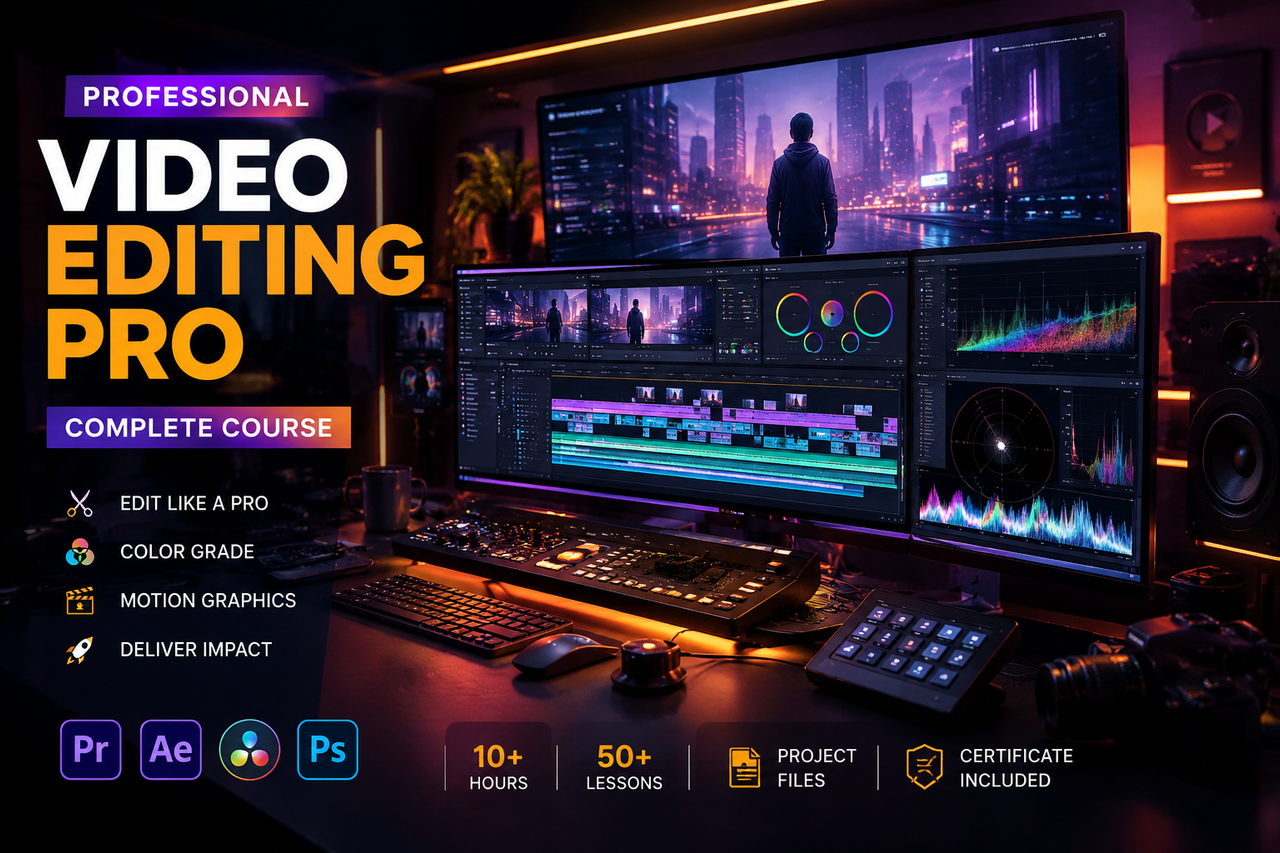
Video Editing Pro

Master the art of visual storytelling. Learn professional video editing, color grading, motion graphics, and audio design to produce content that stands out across YouTube, social media, and streaming platforms.

8 Weeks
48 Lessons
4.9 (228 reviews)
320+ Students
Video Editing Pro
Completion
Certificate Included
8
Weeks Duration
48
Video Lessons
All
Skill Levels
320+
Students Enrolled
4.9
Average Rating
EN/AR
Language

What This Course Covers

The Video Editing Pro course is a comprehensive, project-driven program designed to take you from raw footage to polished, professional content. Whether you want to build a YouTube channel, work in media production, create content for clients, or break into the film industry — this course gives you the full toolkit.

You will work across industry-standard software including Adobe Premiere Pro and After Effects, learning to cut and structure videos, grade color professionally, animate motion graphics, and mix audio for broadcast-quality output. Every module ends with a real editing project you keep in your portfolio.

By the end of this course, you will be able to produce content at a professional level — from short-form social reels to long-form documentary-style pieces — and position yourself as a sought-after video editor in a rapidly growing market.

Real Editing Projects
Client-Ready Skills
Industry Certificate
Mentor Feedback
Motion Graphics
Lifetime Access
Who Is This For?
  • Aspiring YouTubers and content creators who want their videos to look cinematic
  • Social media managers producing video content for brands and businesses
  • Photographers transitioning into videography and film work
  • Students in media, communications, or film who want practical skills fast
  • Entrepreneurs creating video ads, product demos, and promotional content
  • Freelancers who want to add video editing as a high-income service
Career Opportunities
Video Editor Content Creator Motion Designer YouTube Producer Social Media Editor Post-Production Artist Freelance Editor

What You Will Learn

From raw footage to broadcast-quality output — 8 intensive modules covering the complete post-production pipeline.

MODULE 01
Fundamentals of Video Editing
Understand the language of video — cuts, pacing, rhythm, and storytelling structures that make audiences stay engaged.
  • The 3-Act Structure
  • Cut Types & Transitions
  • Pacing & Rhythm
  • Visual Storytelling Logic
MODULE 02
Adobe Premiere Pro Mastery
Master the industry-standard NLE — from importing and organizing footage to advanced multi-cam editing and sequence export.
  • Timeline & Sequencing
  • Multi-cam Editing
  • Keyboard Shortcuts Workflow
  • Export Settings
MODULE 03
Color Grading & Correction
Transform the look and feel of any video using professional color science — from fixing flat log footage to creating cinematic looks.
  • Lumetri Color Panels
  • Log Footage Workflow
  • LUT Application
  • Skin Tone Matching
MODULE 04
After Effects Essentials
Create professional motion graphics, animated titles, lower thirds, and visual effects that elevate your productions.
  • Keyframe Animation
  • Shape Layers & Masks
  • Text Animation Presets
  • Green Screen Keying
MODULE 05
Audio Design & Sound Mixing
Clean up dialogue, layer background music, add sound effects, and mix audio to professional broadcast standards.
  • Noise Reduction
  • Dialogue EQ & Compression
  • Music Synchronization
  • Loudness Standards (LUFS)
MODULE 06
Short-Form & Reels Editing
Master the fast-paced world of social content — TikTok, Instagram Reels, and YouTube Shorts — with hooks, viral pacing, and native formats.
  • Hook Architecture
  • Vertical Format Editing
  • Trending Transitions
  • Caption & Text Overlay
MODULE 07
VFX & Visual Effects
Add cinematic visual flair to your videos — lens flares, particle effects, overlays, compositing, and tracked elements.
  • Motion Tracking
  • Compositing Basics
  • Overlay & Texture Use
  • Cinematic FX Packs
MODULE 08
Freelancing & Client Work
Set up your editing business — showreel creation, client communication, project management, and pricing your editing services.
  • Showreel Building
  • Client Revision Workflow
  • Freelance Pricing
  • Project Delivery & Handoff

Everything You Get

Every asset, resource, and piece of support you need to become a professional video editor.

Lifetime Access
One payment, permanent access. All future lesson additions, software updates, and new project packs are yours forever.
Completion Certificate
Earn a Wolves Team Video Editing certificate to display on your portfolio, LinkedIn, and client proposals.
Real Practice Footage
Access a curated library of practice footage including drone shots, interviews, b-roll, and cinematic clips to edit with.
Asset Pack Included
Download our premium asset bundle — LUTs, transitions, SFX library, music tracks, and After Effects templates.
Editing Community
Join our Discord community to share your edits, get feedback from peers and instructors, and participate in editing challenges.
Industry Instructor
Learn from a professional video editor with credits spanning YouTube channels, TV commercials, and feature-length documentaries.

Meet Your Mentor

Youssef El-Sayed
Youssef El-Sayed
Senior Video Editor & Post-Production Specialist

Youssef is a Cairo-based post-production professional with 9 years of experience editing across TV commercials, YouTube channels, documentary films, and branded content for regional and international clients. He has edited award-winning campaigns for FMCG brands, travel documentaries distributed across streaming platforms, and viral content surpassing 50 million views. At Wolves Team, Youssef distills his entire professional workflow into a practical, no-theory-overload curriculum that gets students editing at a high level fast.

What Our Students Say

"

I started this course with zero editing experience and finished it with a showreel that got me my first paying client within a month. Youssef's color grading module alone changed everything about how my videos looked.

"

The short-form editing module is worth every penny. I run social media accounts for three clients and my Reels engagement tripled after applying what I learned. The hook architecture techniques are pure gold.

"

I had tried learning Premiere Pro from YouTube for months and always got stuck. This course structured everything perfectly. By Module 3, I was grading footage that looked like it came out of Netflix. Real content, real skills.

"

The After Effects module was incredibly well-paced. I now create all my channel's animated intros and lower thirds in-house instead of buying templates. Saved me money and gave my brand a completely unique look.

Frequently Asked Questions

Do I need a powerful computer for video editing?
A modern laptop with at least 8GB RAM and a dedicated GPU will work for most lessons. For 4K editing and After Effects, 16GB RAM is recommended. We cover optimization techniques inside the course to help you get the best performance from your current hardware.
Which software does the course cover?
The core tools are Adobe Premiere Pro and Adobe After Effects. We also cover basic audio work in Premiere's built-in tools and use third-party LUTs and plugins. Adobe offers a free trial, and we guide you through the most cost-effective subscription options.
Do I need my own video footage to practice?
No. We provide a full practice footage library with every type of content — b-roll, drone footage, interviews, and cinematic clips — so you can practice every module without needing your own camera or footage.
Is this course focused on YouTube or professional production?
Both. We cover the full spectrum from short-form social content (Reels, TikTok, Shorts) to long-form documentary and commercial production. The skills cross over — knowing professional techniques makes your YouTube content dramatically better.
How long do I need to practice each day?
About 1–2 hours per day is ideal for the 8-week timeline. Video editing improves fast with practice — many students notice dramatic improvement by the end of the first two weeks just from repetition and applying feedback on their edits.
Can I earn a full-time income as a video editor after this?
Absolutely. Video editing is one of the highest-demand digital skills globally right now. Our freelancing module specifically prepares you to price your work, find clients, and build a sustainable editing income. Several graduates have gone full-time within 3 months of completing the course.

Ready to Edit Like a Pro?

Join 320+ students producing cinematic content. The next cohort is filling up — lock in your spot before it's gone.